Babylist Return Policy 2026: With or Without Receipt
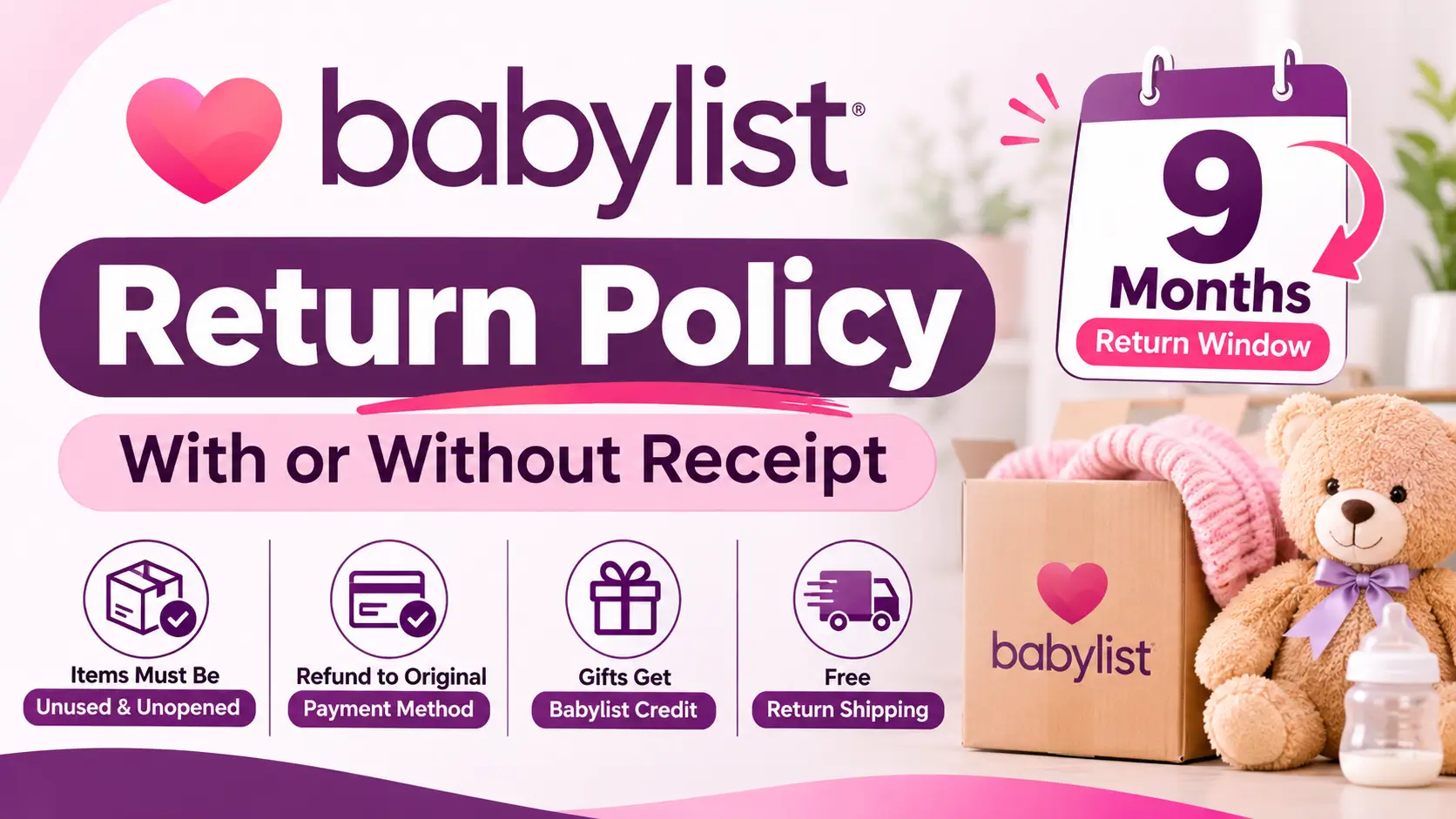
Babylist accepts returns on Babylist Shop items within 9 months of the purchase date, as long as the item is unused, unopened, and in its original packaging. The return steps ask for your order details, not a paper receipt, because returns are started online through the Gift Tracker (for gifts) or the Returns Center (for your own orders). Gift returns are refunded as Babylist Shop credit, while personal orders go back to the original payment method. Items bought from other retailers through a Babylist registry cannot be returned to Babylist.
Babylist Return Policy at a Glance
| Detail | Babylist Policy |
|---|---|
| Return window | 9 months from the purchase date |
| Item condition | Unused, unopened, in original packaging |
| Receipt | No paper receipt step. Returns start online with order details |
| Return shipping | Free, no return shipping charge |
| Refund for gifts | Babylist Shop credit |
| Refund for your own orders | Original payment method |
| Refund speed | Within 5 business days after the return reaches the warehouse |
| Exchanges | Not offered |
| Gift giver notified | No |
| Not refundable | Shipping and surcharge fees |
| Gift cards | Cannot be returned |
How Long Do You Have to Return a Babylist Item?
You have 9 months from the purchase date. This applies to Babylist Shop items you bought yourself and to items friends and family bought for you.
The clock runs from the day the order was placed, so check the purchase date in your Gift Tracker rather than guessing from the delivery date. For example, an item bought on November 8, 2026 reaches the 9-month mark around August 8, 2027. Do not leave it to the last week.
There are two exceptions to know about:
- Soundly mattresses have a 120-day return window.
- Purchases made at the Babylist Beverly Hills Showroom can only be returned in-store, and online orders cannot be returned at the Showroom.
What Condition Must Your Item Be In?
Babylist only accepts items in the same condition they were received. Opened or used items are not accepted.
To qualify, your item must be:
- Unused
- Unopened
- In its original product packaging
The item must also have shipped before you can set up a return. Orders that are still processing are not eligible for return setup.
If you are unsure about a stroller, car seat, or any other gear, keep the box sealed until you are sure you want to keep it. Once it is opened, the return option is gone.
Babylist Return With Receipt or Order Details: How to Start
Your order number is what ties the return to your purchase. Where you start depends on who bought the item.
How to Return a Registry Gift From Your Gift Tracker
Use this method for items that friends or family bought for you from the Babylist Shop.
- Open your registry and go to Gift Tracker.
- Find the item you want to return.
- Select Return next to the item.
- Follow the prompts to finish setting up the return.
After you complete the steps, you will receive a prepaid shipping label or a QR code.
How to Return Something You Bought Yourself
Use the Returns Center for your own Babylist Shop orders.
- Go to the Returns Center.
- Enter your order number and the shipping ZIP code or email address.
- Select I’m returning an item I purchased.
- Follow the prompts to complete your return.
Your order number is in your order confirmation email.
Babylist Return Without Receipt: What You Can Do
Babylist does not ask you to upload or present a paper receipt or gift receipt for Shop items. What it needs is the order itself, which it finds through your account or order details.
The right approach depends on how the item reached you:
| Your Situation | What to Use Instead of a Receipt |
|---|---|
| Gift from the Babylist Shop | Gift Tracker, then press Return next to the item |
| Your own Babylist Shop order | Order number plus shipping ZIP code or email address |
| Gift from another store | Gift giver’s name and email, or the order number in Gift Tracker |
If you lost your order number, search your inbox, spam, and trash for your order confirmation email. If you still cannot find it, chat with Babylist support and they can help.
One common snag is an order number with a suffix, such as BLS-123456-1. Remove the suffix and enter only the base number, which would be BLS-123456 in this example.
How to Tell If a Gift Came From the Babylist Shop
Babylist Shop order numbers begin with BLS, followed by a number. Check your Gift Tracker to see the order details for each gift.
The Gift Tracker also shows purchases made at other stores, so a gift appearing there does not mean it came from the Babylist Shop. If the order number does not start with BLS, treat it as an outside purchase and contact that retailer.
How to Ship Your Babylist Return
Babylist return labels and QR codes are for FedEx. Drop your package at an authorized FedEx location.
Follow these steps for a smooth drop-off:
- Pack the item securely and use the original packaging if you have it.
- Remove or cover any old shipping labels before attaching the return label.
- Use your QR code on your phone or a printout if you do not have a printer. You can also print the label instead.
- Ask for a drop-off receipt and keep it. Babylist uses it to help if there are transit or delivery issues.
You are not charged for return shipping. If you lose your label, go back to your return status page from the return confirmation email, or contact support for a new one.
Babylist Refunds: Store Credit or Original Payment?
The refund type depends on who made the purchase. Refunds are issued within 5 business days after your return is delivered to the warehouse, not counting the delivery day, weekends, or holidays.
| Return Type | Refund Method | When to Expect It |
|---|---|---|
| Gift returned by the registrant | Babylist Shop credit | Available immediately once issued |
| Personal order | Original payment method | Up to 10 business days for your bank to post it |
| Canceled order | Original payment method | Up to 10 business days, depending on your bank |
| Canceled order paid with Shop credit | Babylist Shop credit | Available immediately |
Shipping and surcharge fees are not refundable. You will get a delivery confirmation email when your return arrives, and a final email when it has been processed.
How to Use Your Babylist Return Credit
When a gift return is processed, you receive an email with a 16-digit return credit code. Most of these emails arrive within 5 business days of your return reaching the warehouse.
To use the credit:
- Copy the full 16-digit code from the email.
- Go to checkout in the Babylist Shop.
- Paste the code into the gift card or discount code box.
- Select Apply.
If you used the same email address for your return as your registry, the credit may appear in your account under Settings, then Gift cards, promos and gift funds. Do not count on that, and save the email either way. Return credit works only for Babylist Shop purchases.
Does Babylist Offer Exchanges?
No. Babylist does not offer exchanges.
If you want a different color, size, or model, return the original item and then use your refund or credit to order the one you want. Check that the replacement is in stock before you send the first item back.
Will the Gift Giver Know You Returned Their Gift?
No. Babylist does not notify gift givers when a gift is returned. This makes it easy to swap out duplicates or items that do not fit your needs.
Items Babylist Will Not Take Back
Babylist cannot process returns in these cases:
- Items purchased from other retailers, even if they were on your Babylist registry
- Opened or used items
- Gift cards
- Orders that have not shipped yet
- Reshipments, and orders that were already refunded or credited
- Online orders brought to the Beverly Hills Showroom
- Insurance-covered breast pumps from Babylist Health
Returning Gifts Bought From Other Stores, With or Without Receipt
Many items on a Babylist registry are sold and shipped by other retailers. Babylist cannot accept those returns, and the store where the gift was bought handles the return under its own policy.
Start in your Gift Tracker, where you can find the gift giver’s details and order information if they provided it. Then contact the retailer directly. Most retailers will ask for the email address used to place the order and the order confirmation number.
If you have no receipt, many stores can still find the order under the gift giver’s name and email address. Remember that the retailer will not know about Babylist or your registry. If you are a gift giver buying from another store, select a gift receipt at checkout when the retailer offers one.
Some brands have their own instructions. Kindred Bravely, for example, tells customers to contact Babylist support for a copy of their Babylist order receipt when returning an item received through a Babylist registry.
What to Do If Your Babylist Order Arrives Damaged or Incomplete
Do not throw away the item or the packaging, since Babylist may need them to find the best solution. Contact the support team with these details:
- A photo of the shipping box, if available
- Your Babylist Shop order number
- Your name and best shipping address
A support specialist will follow up once your request is reviewed.
If an item is missing or wrong, first check your Order Status page. Babylist ships from multiple fulfillment centers, so your order may arrive in more than one box with separate tracking numbers.
What If Your Babylist Item Stops Working?
Start with the owner’s manual and the manufacturer’s warranty. Some brands will repair or replace the item directly.
If there is no warranty or you are unsure, and you are still inside the 9-month window, contact Babylist support. Send your order number, a short description of the problem, and clear photos or a video. Hold onto the item until Babylist confirms the next steps, because in many cases you will not need to mail it back.
After the window closes, a return is no longer possible, but the manufacturer’s warranty may still apply. Babylist notes that many baby gear and tech items are covered for a year or longer, depending on the brand.
Returning Furniture and Freight Orders From Babylist
Larger or heavier nursery furniture ships by freight carrier. Freight orders follow the standard return policy, but the process runs through email.
To request a return for any reason, reply to the email titled “Heads up about your Babylist delivery” and include:
- The reason for the return
- A photo or video of the product
- A photo of the shipping box
- Your Babylist Shop order number
If a freight order arrives damaged, defective, or missing parts, use the same email and send the same details. Inspect everything as soon as it arrives.
Returning a Breast Pump From Babylist Health
Insurance-covered breast pumps ordered through Babylist Health are medical-grade products and cannot be returned or exchanged.
If your pump is not working, contact the manufacturer first, since most issues fall under the manufacturer’s warranty. If the manufacturer asks for proof of purchase, email [email protected] and Babylist will provide it. To cancel or change a Babylist Health order, you must contact them before it is sent to the warehouse for processing.
Can You Cancel a Babylist Order Instead of Returning It?
Yes, but the window is short. You can cancel a Babylist Shop order within 45 minutes of placing it, using your order confirmation email.
Babylist Shop orders cannot be edited after they are placed. If you need to change something, such as the shipping address, cancel the order within the window and place a new one.
Why Can’t You Start Your Babylist Return?
If the return option will not load, check these common causes:
- Wrong order number format. Remove any suffix, such as the “-1” at the end of BLS-123456-1.
- A return was already started. Search your inbox, spam, and trash for the return confirmation email.
- The order has not shipped. Returns can only be set up after the order ships.
- Outside the return window. Items past the allowed window cannot be returned.
- Not a Babylist Shop item. Other retailers handle their own returns.
- Reshipment or already refunded order. Chat with support for help.
Common Mistakes That Delay a Babylist Return
A few avoidable errors cause most return problems:
- Opening the packaging before deciding to return
- Sending several returns together in one box, which Babylist advises against because items can go to different warehouses and get delayed or lost
- Skipping the FedEx drop-off receipt
- Leaving an old shipping label visible on the package
- Waiting until the final days of the 9-month window
If several items can be returned together, the Returns Center will indicate it.
Where Is My Babylist Return?
Follow your return through the emails Babylist sends. You get one when your return is delivered to the warehouse and another when it has been processed.
Your drop-off receipt includes a tracking number you can use as well. If the refund has not shown up 10 business days after processing, contact Babylist support.
Babylist Return Checklist
Run through this list before you head to FedEx:
- Confirm the order number starts with BLS.
- Check that the purchase date is within 9 months.
- Make sure the item is sealed and in its original packaging.
- Start the return through Gift Tracker or the Returns Center.
- Save your QR code or print your label.
- Cover old shipping labels and pack securely.
- Drop it at FedEx and keep the drop-off receipt.
- Watch your email for the processing confirmation and return credit code.
How to Contact Babylist About a Return
Use the chat option in the Babylist Help Center. Babylist calls its support team the Happiness Heroes.
Have your order number ready, along with photos if the issue involves damage or a defect. For Babylist Health breast pump questions, email [email protected].
Frequently Asked Questions
How long do I have to return something to Babylist?
You have 9 months from the purchase date for Babylist Shop items, whether you bought them or received them as gifts. Soundly mattresses have a 120-day window.
Can I return a Babylist item without a receipt?
Yes. Babylist does not require a paper receipt for Shop items. Gifts are returned through the Gift Tracker, and your own orders are returned through the Returns Center using your order number and ZIP code or email.
Can I return an opened item to Babylist?
No. Babylist does not accept opened or used items. The item must be unused, unopened, and in its original packaging.
Will I get my money back on my card?
It depends. Personal orders are refunded to the original payment method, while gift returns are refunded as Babylist Shop credit.
How long does a Babylist refund take?
Refunds are issued within 5 business days after your return reaches the warehouse. Card refunds can take up to 10 business days to appear at your bank.
Is return shipping free with Babylist?
Yes. You are not charged for return shipping. Original shipping and surcharge fees are not refunded.
Does the gift giver find out if I return their gift?
No. Babylist does not notify gift givers about returns.
Can I return an Amazon or Target gift to Babylist?
No. Babylist can only accept returns for Babylist Shop items. Contact the store that sold the item and follow its return policy.
Can I exchange an item through Babylist?
No. Babylist does not offer exchanges. Return the item and use your credit or refund to order a different one.
Does Babylist return credit expire?
Babylist’s return credit article does not state an expiration date. It does say the credit works only in the Babylist Shop, so save your email and use the code soon.
What if my item is past the 9-month return window?
You will not be able to start a return through Babylist. Check the manufacturer’s warranty, which often covers defects for a year or longer depending on the brand.
Can I return a Babylist gift card?
No. Gift cards cannot be returned.